외국에 비슷한 가이드가 존재하지 않아, 다른 국가의 사람들에게도 도움이 되고자 영문으로 글을 작성합니다.
한국인이시라면 https://logfx.tistory.com/11를 읽어주세요 :)
-
After changing the domain of a service that had been operating smoothly, I needed to update the domain address in Google Search Console. If the site hasn’t been deployed yet, you can simply delete the old property and register a new one. However, if SEO work has already been done, deleting and re-registering the property could lead to the loss of SEO progress, causing significant challenges.
In my case, I hadn’t done any extensive SEO work. However, since there were no similar websites, my site appeared at the top of Google search results. I didn’t want to lose this ranking, so I decided to proceed with a domain migration.
Google Official Document: https://developers.google.com/search/docs/crawling-indexing/site-move-with-url-changes?hl=ko&sjid=15128204206028581863-AP
According to Google’s official guide, you need to meet the following two conditions to successfully change the domain address:
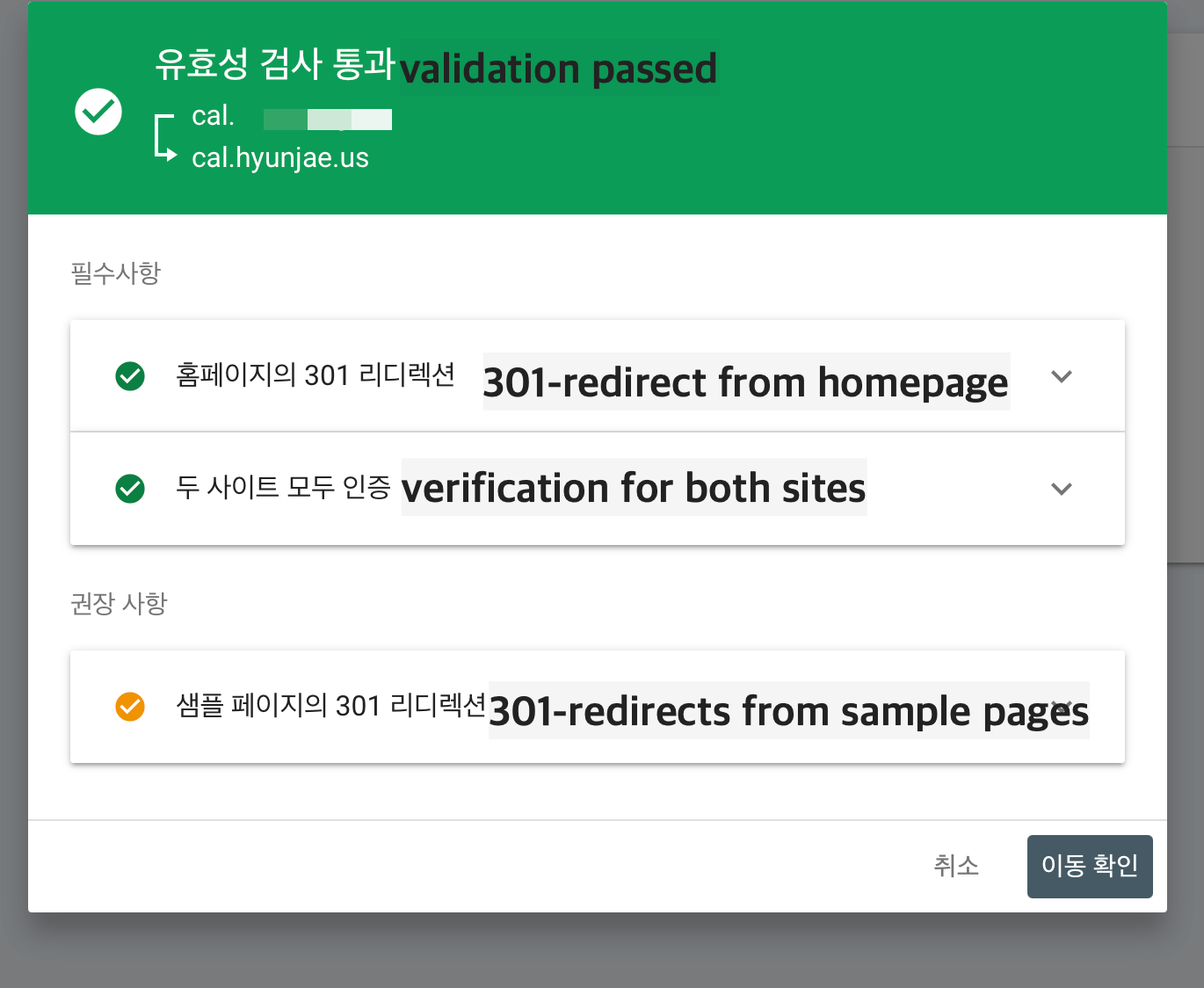
f you are hosting your site on GitHub Pages, the first condition becomes problematic. By default, GitHub Pages does not support HTTP 301 redirects, as noted in this Stack Overflow thread.

In order to transfer sites from Google Search Console, you need to provide redirects through HTTP 301 requests, not through meta tags, etc., but GitHub does not support this by default.
That's why we're going to use CloudFlare.
Step-by-Step Guide to Changing Your Domain
To make the explanation easier, let’s assume the old domain is A.com and the new domain is B.com.
Step 0: Register the New Domain in Google Search Console
Before starting the migration, register B.com as a property in Google Search Console. Even if the migration hasn’t started yet, registering the domain in advance is recommended since the verification process can take some time.
Step 1: Connect A.com to Cloudflare
First, connect the A.com domain to Cloudflare. Cloudflare’s free plan allows up to three domains for free. I had already been using Cloudflare, so I skipped this step. If you’re new to Cloudflare, follow their instructions to connect your domain.

Step 2: Set Up Page Rules for A.com in Cloudflare
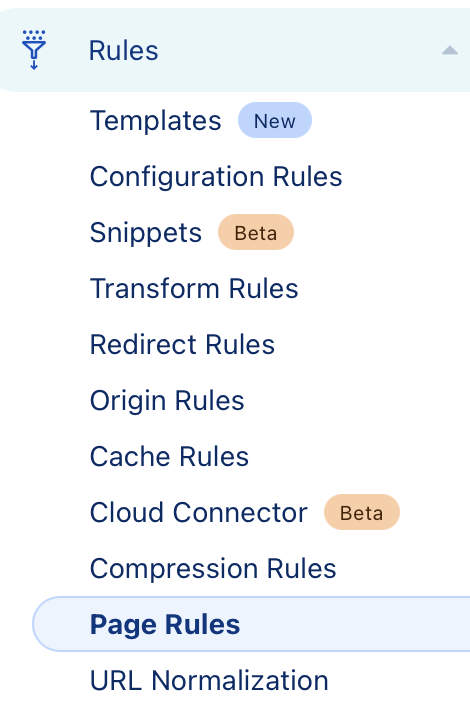

In the A.com property on Cloudflare, go to Rules > Page Rules and create a new Page Rule.
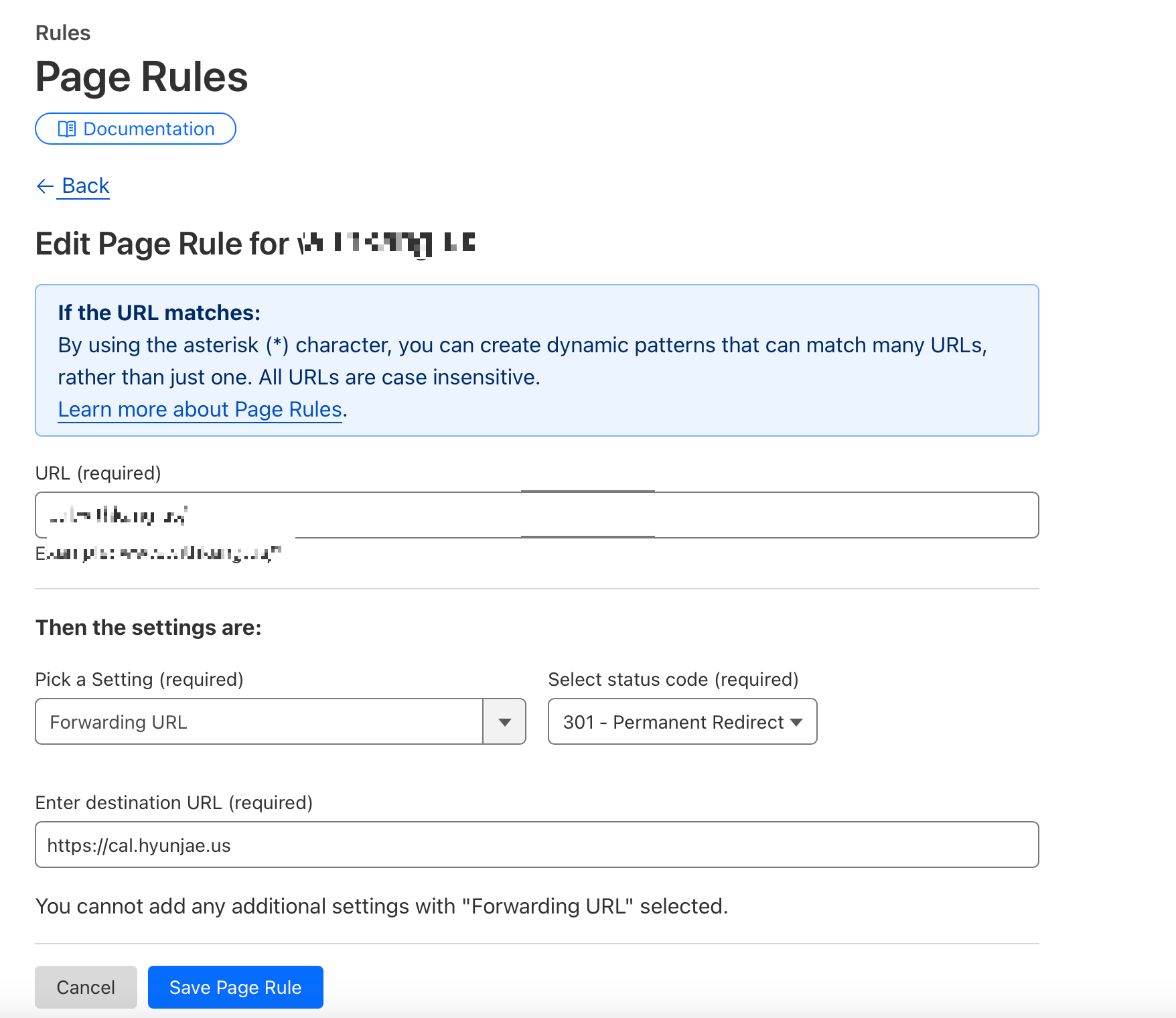
In the A.com property on Cloudflare, go to Rules > Page Rules and create a new Page Rule.
1. Enter the old domain’s URL in the URL field. For example, to redirect all traffic, use a wildcard pattern like A.com/*.
2. Under Settings, select Forwarding URL and set the status code to 301.
3. Enter the new domain’s URL (e.g., https://B.com) in the destination URL field. Be sure to include http:// or https://.
4. Save and deploy the Page Rule.
This will redirect all traffic from A.com to B.com. Note: I couldn’t find a way to preserve detailed URL parameters, so I only redirected the top-level URLs that appear in search results.
In my case, I created two Page Rules:
• A.com/
• A.com/mid/
---
Step 3: Update the Address in Google Search Console
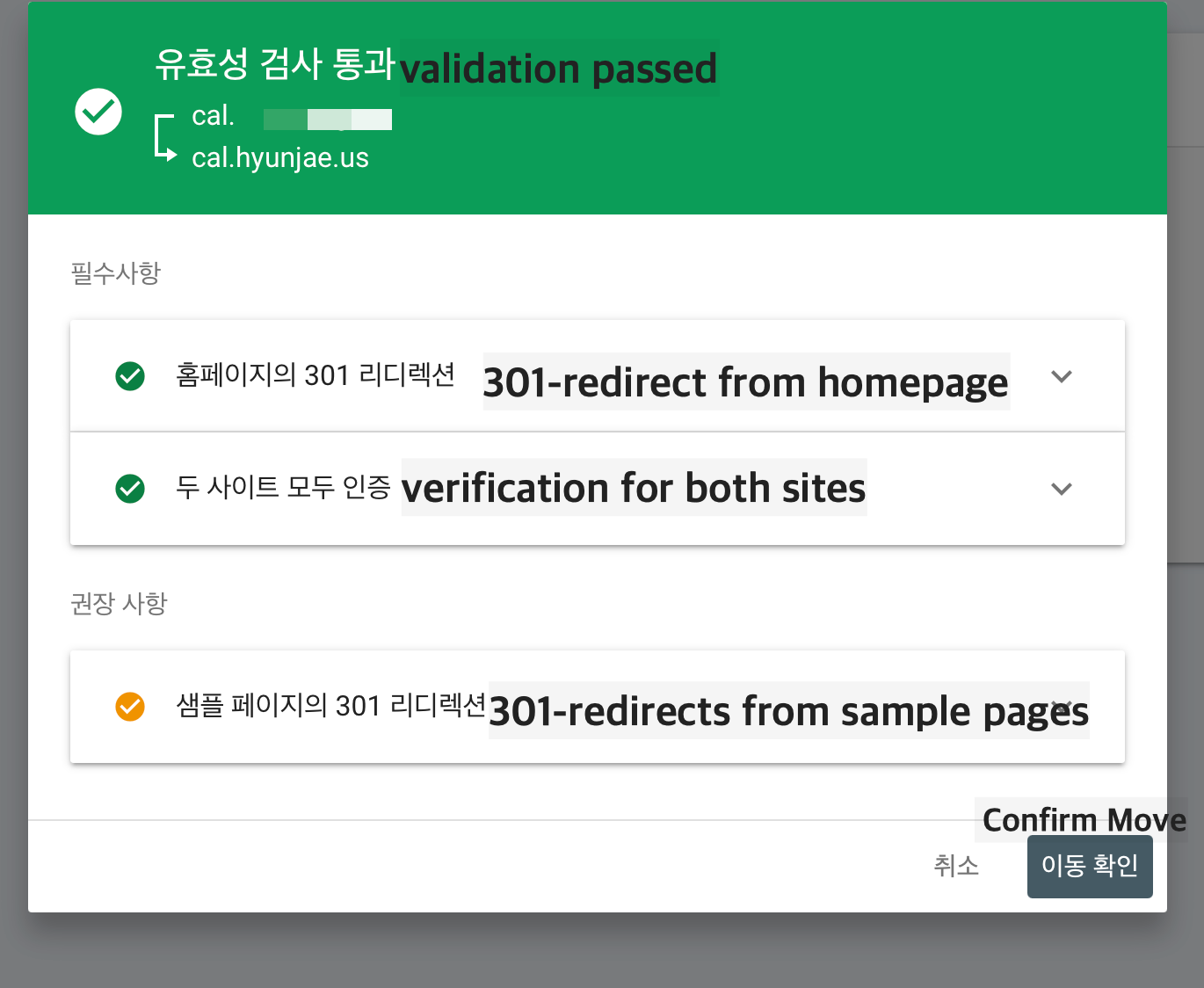
Log in to Google Search Console and navigate to Settings > Change of Address for A.com.
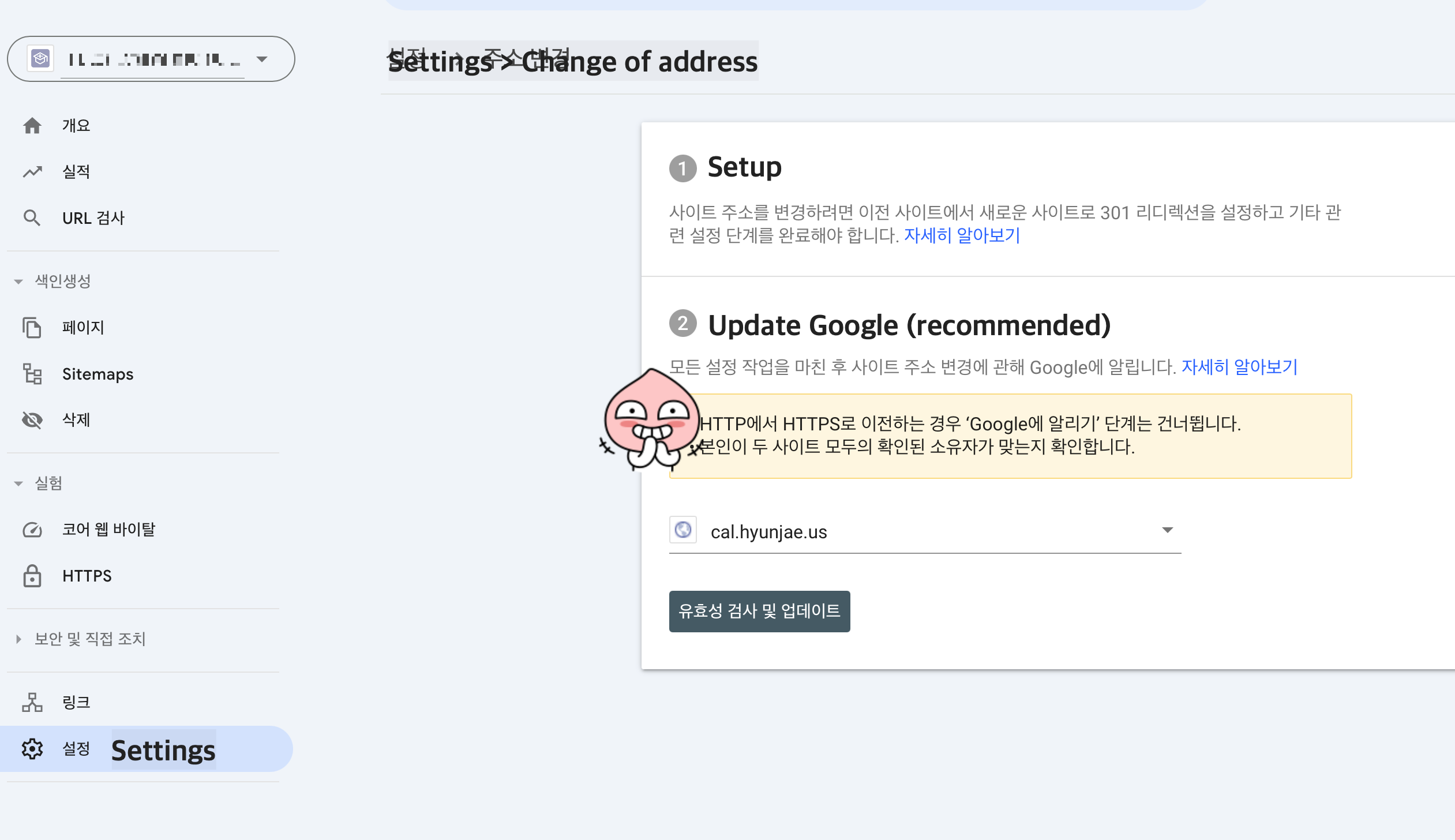
Select the previously registered B.com property and click Validate & Update. Once the migration is verified, click Confirm Move to complete the process.
-
Troubleshooting: Resolving 301 Redirect Detection Issues
Initially, Google Search Console failed to detect the 301 redirects, resulting in an error. To resolve this:
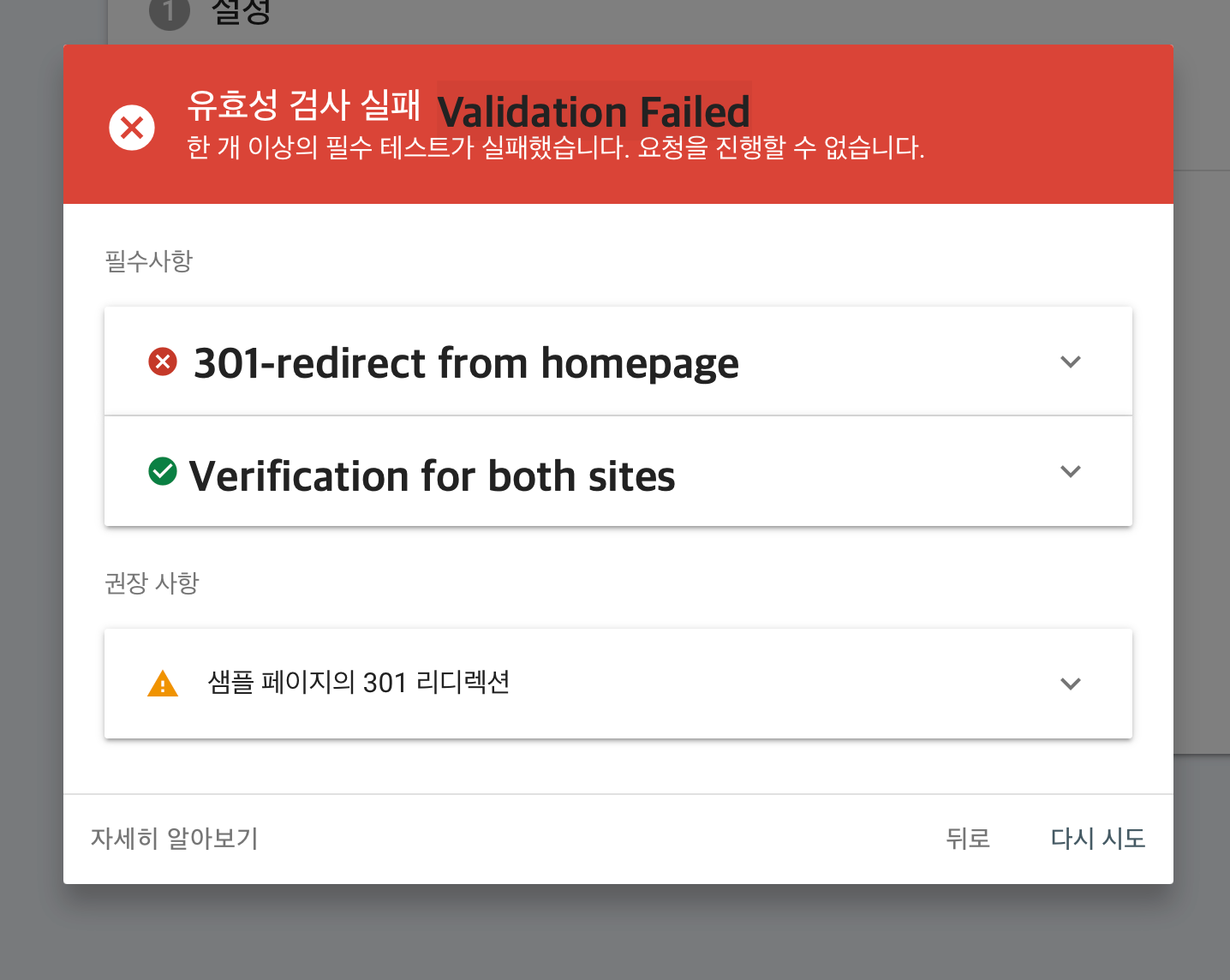
1. Wait for the Page Rules to take effect in Cloudflare.
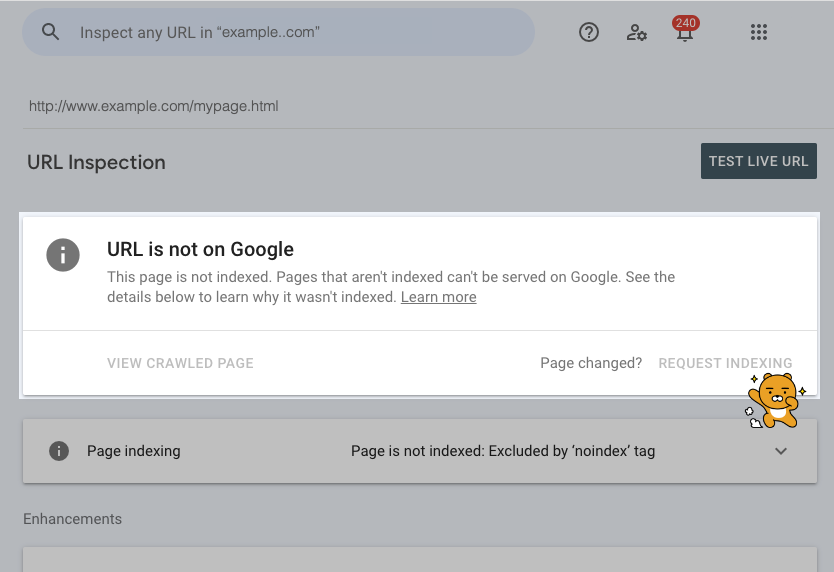
2. Use the URL Inspection tool in Google Search Console to request indexing for A.com.
3. After requesting indexing and waiting for a short period, retry the migration process.
In my case, after requesting indexing and waiting a bit, the migration was successfully completed.

Conclusion
With these steps, I successfully migrated my site to a new domain while maintaining its search rankings. This process may seem complicated, but tools like Cloudflare make it easier, even for sites hosted on platforms like GitHub Pages.
'공대생존기' 카테고리의 다른 글
| 대학교 와이파이 eduroam의 정체 (7) | 2025.02.01 |
|---|---|
| 맥북 아이폰 핫스팟 인터넷 안됨 문제 해결 (연결할 수 없음, IP 주소 없음) (8) | 2025.01.02 |
| Google Search Console에서 Github Pages를 주소 변경 (도메인 이전) 하는 방법 (7) | 2024.12.12 |
| Beeper Bridge Manager 설치하기 [Beeper에서 인스타그램 DM 다중 계정 기능 사용하기] on Raspberry Pi (8) | 2024.05.08 |